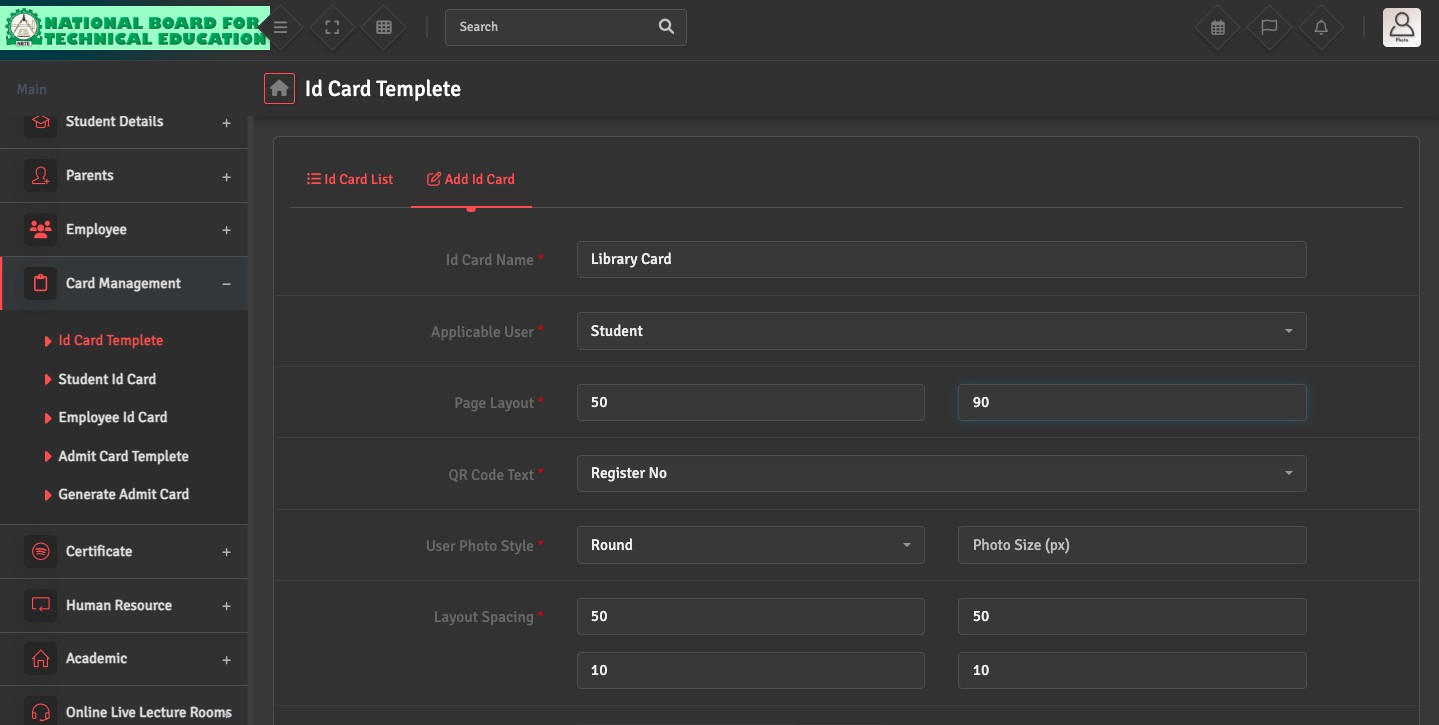
To design the template, navigate to Card Management → ID Card Template → Add ID Card.
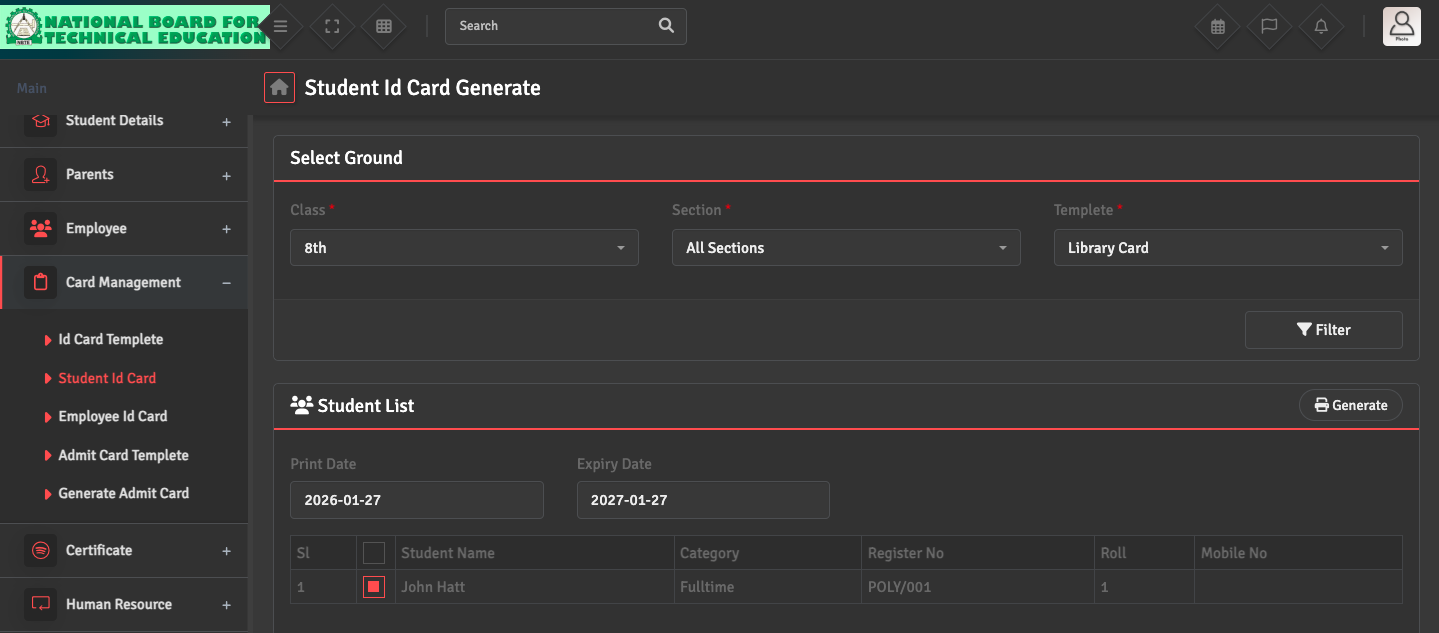
To print student IDs, navigate to Card Management → Student ID Card. Select the Class and Section, then choose your preferred template. Select the students from the given list and click Generate at the top right corner.
If student photos are missing on the cards, please go to Student Details → Student List to ensure that profile pictures have been uploaded for those specific students.