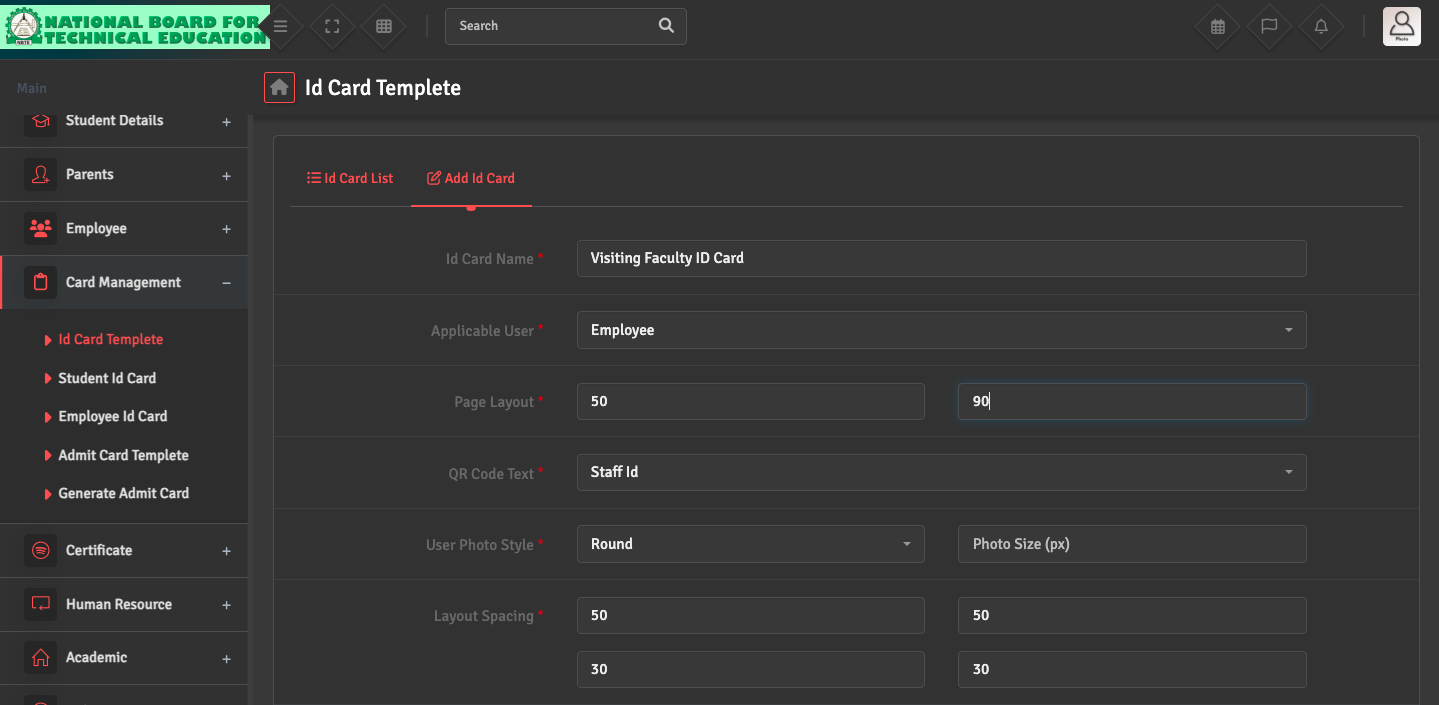
To design the template, navigate to Card Management → ID Card Template → Add ID Card.
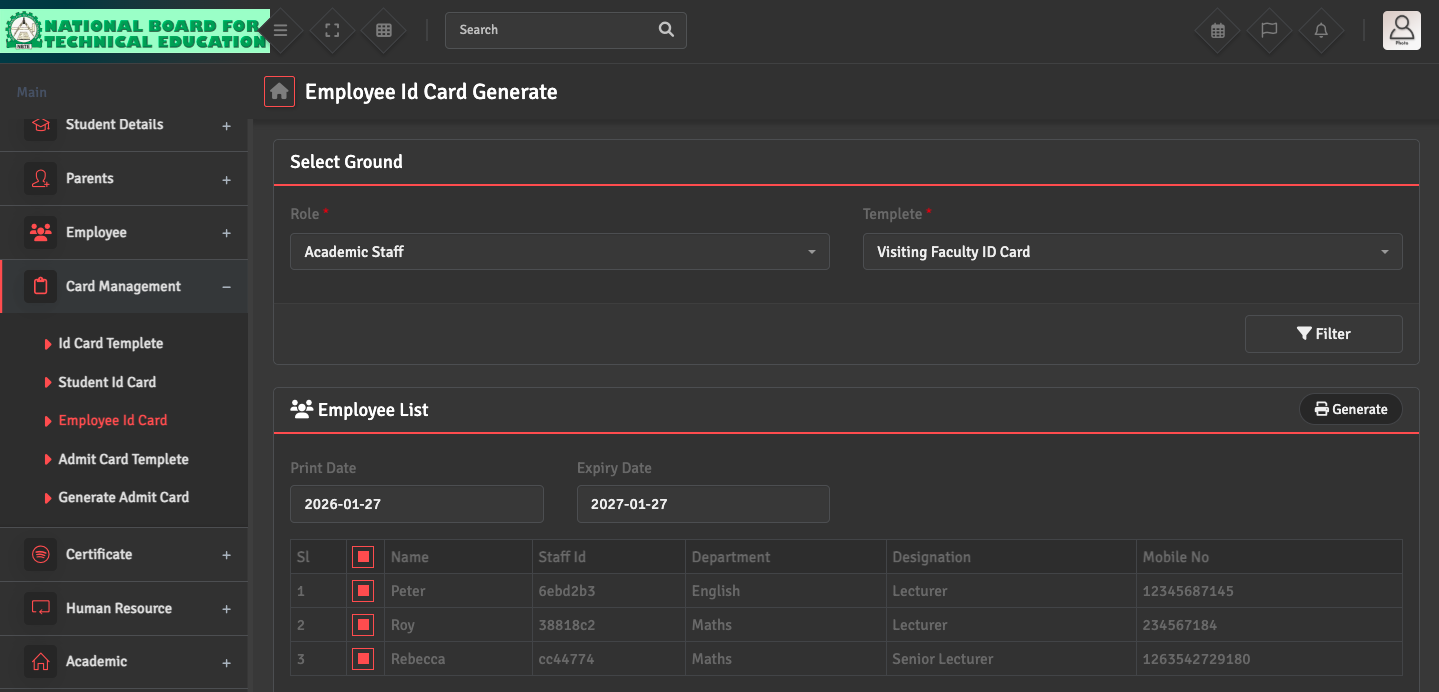
To generate ID cards for your employees, go to Card Management → Employee ID Card. You can filter the staff by 'Role' (e.g., Academic Staff, Admin). Select the staff from the given list and click Generate at the top right corner.
If the staff details are incorrect, please update their profile in the Employee → Employee List before re-generating the card to ensure the information is synced.