If you are unable to generate admit cards, please verify that:
-
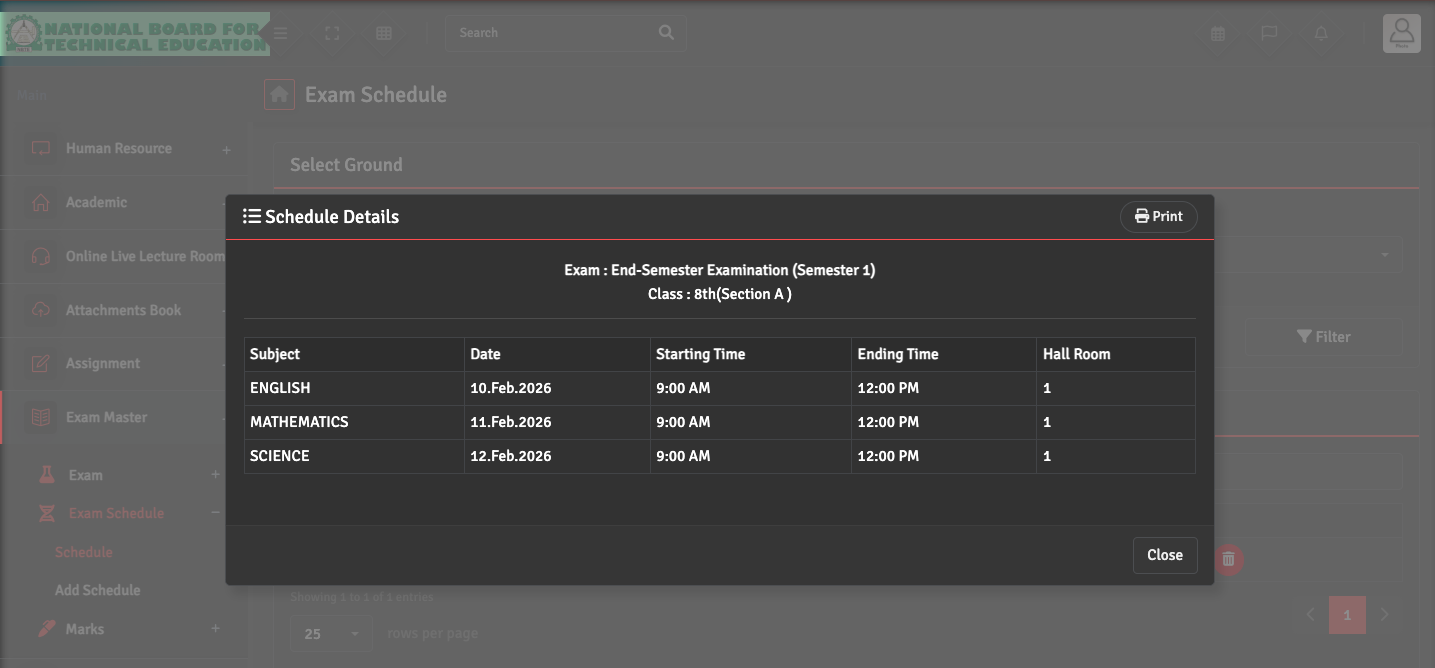
An Exam Schedule has been created for the selected exam via Exam Master → Exam Schedule → Schedule. Click on the Eye icon under Action Section to get the Schedule Details.
-
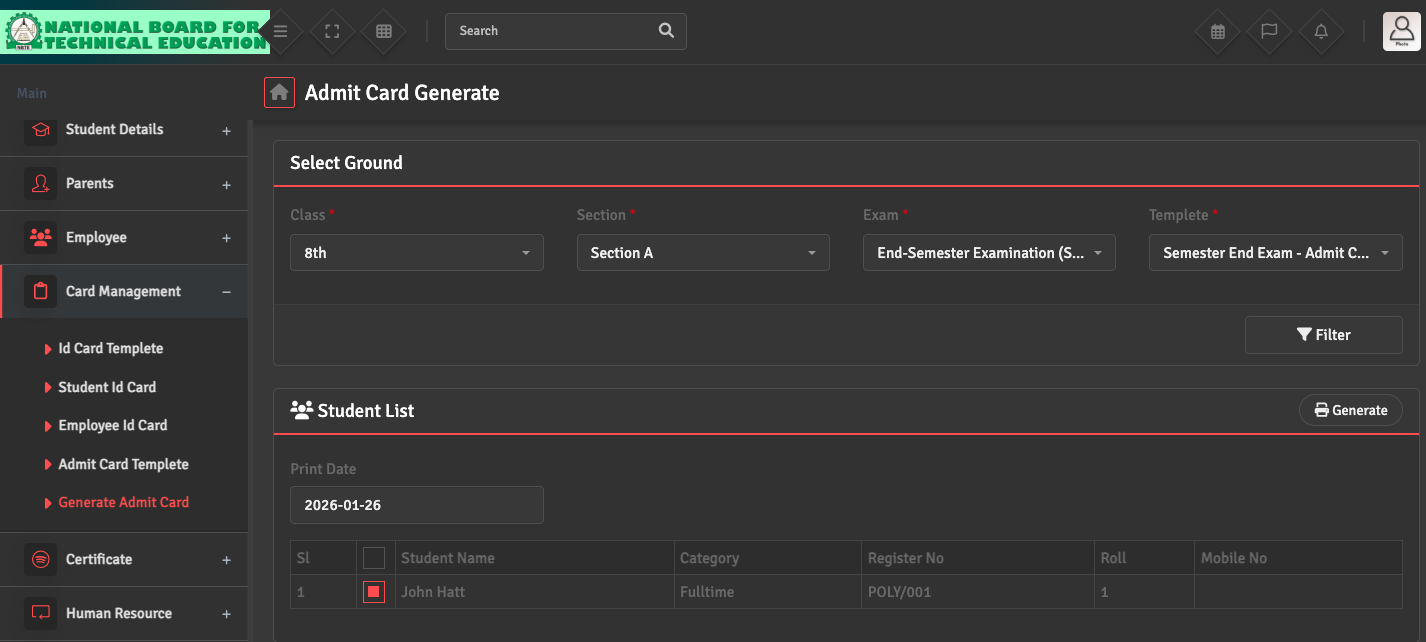
You are using Card Management → Generate Admit Card to select the specific exam and template. If the list is empty, ensure the students' status is Active and are correctly assigned to the Class and Section.