Staff Profile Update

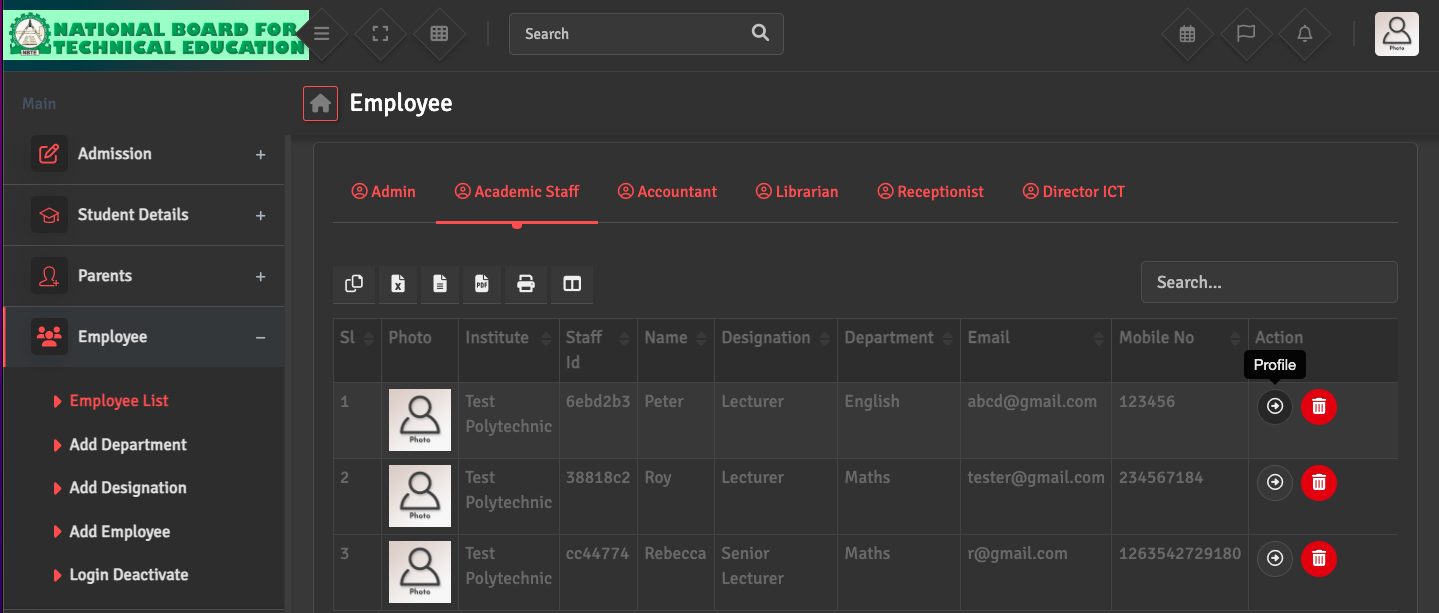
To edit an employee's information, go to Employee → Employee List. Search for the staff member and click the Profile icon under the Action Section. From here, you can update contact details, bank account information for payroll, or upload digital documents like contracts and ID proofs.

Did you find this article useful?

  • Designation Creation

    To define official job titles, please go to Employee→ Add Designation. You can add title...
  • Staff Profile Creation

    To add a new employee, navigate to Employee → Add Employee. You will need to provide bas...
  • Staff Exit / Deactivation

    When an employee leaves the institute, go to Employee → Employee List, select the staff ...
  • Staff Reactivation

    To restore access for a returning employee, navigate to Employee → Login Deactivate. Fin...