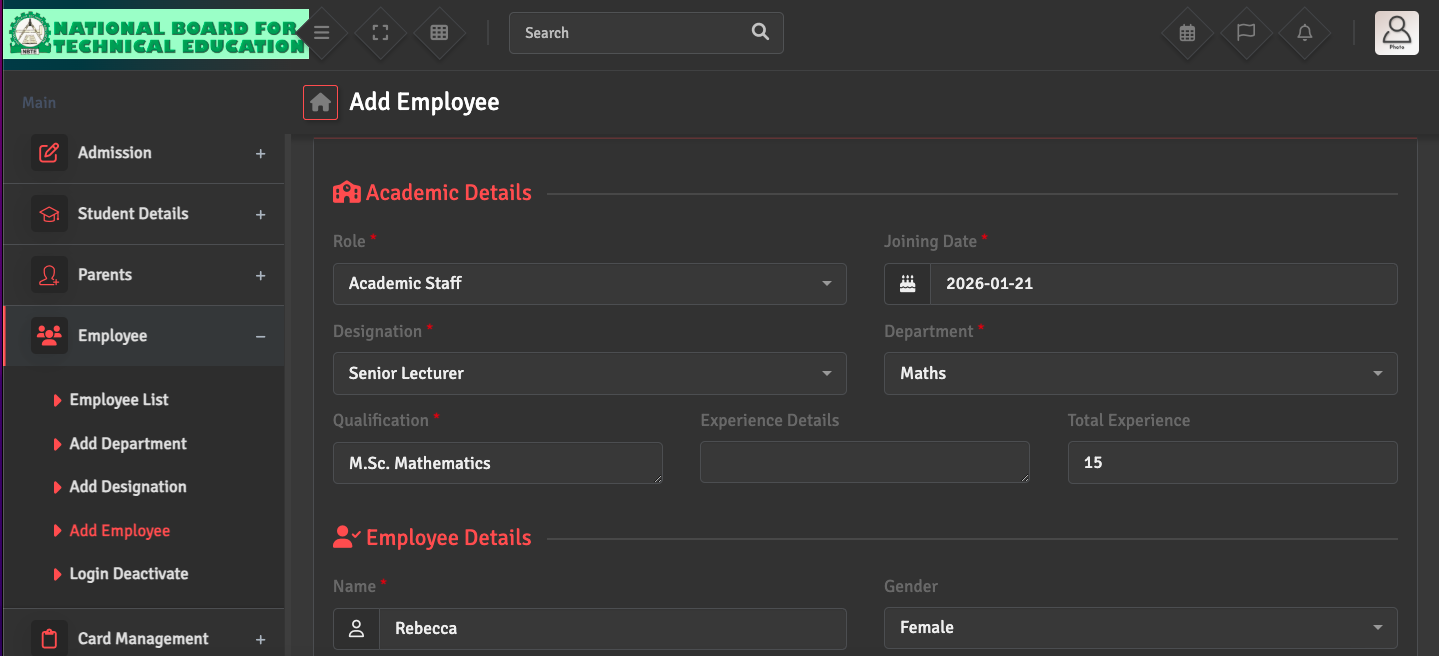
Staff Profile Creation

To add a new employee, navigate to Employee → Add Employee. You will need to provide basic details, assign them a Role (Admin, Teacher, Accountant, etc.), and link them to a Department and Designation.

Once saved, the system will generate a unique Staff ID for the individual.

Did you find this article useful?

  • Designation Creation

    To define official job titles, please go to Employee→ Add Designation. You can add title...
  • Staff Profile Update

    To edit an employee's information, go to Employee → Employee List. Search for the staff ...
  • Staff Exit / Deactivation

    When an employee leaves the institute, go to Employee → Employee List, select the staff ...
  • Staff Reactivation

    To restore access for a returning employee, navigate to Employee → Login Deactivate. Fin...