Online Question Bank Setup

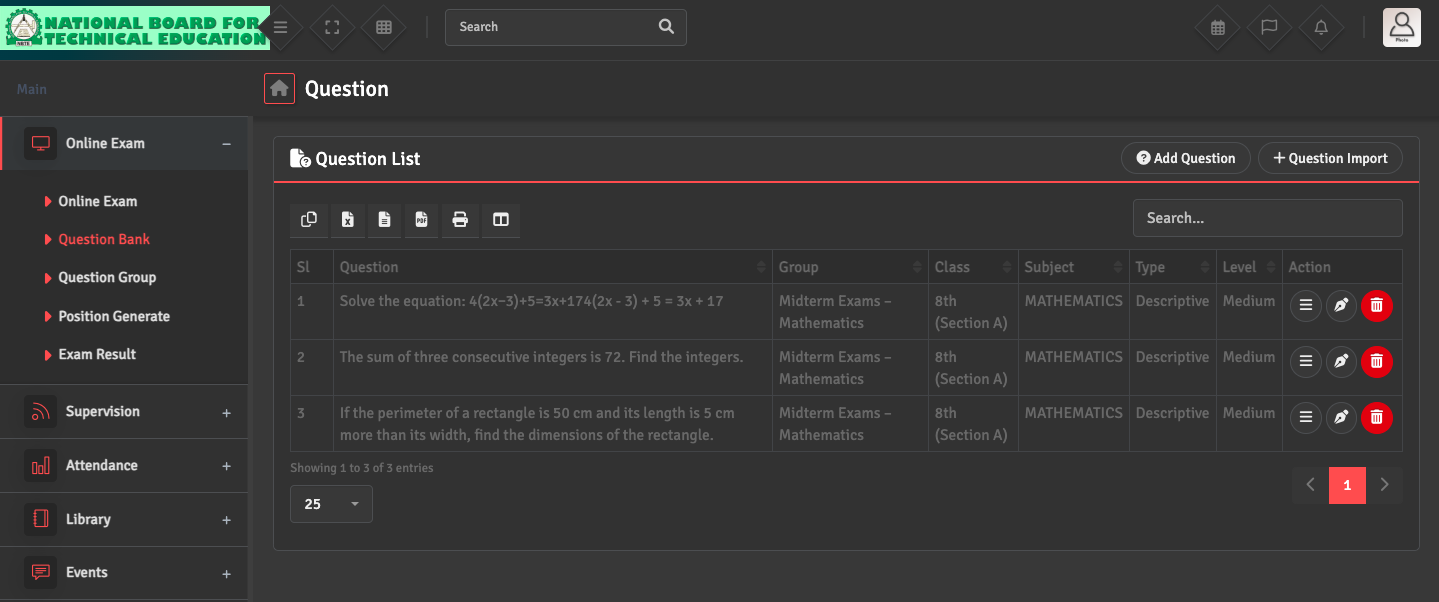
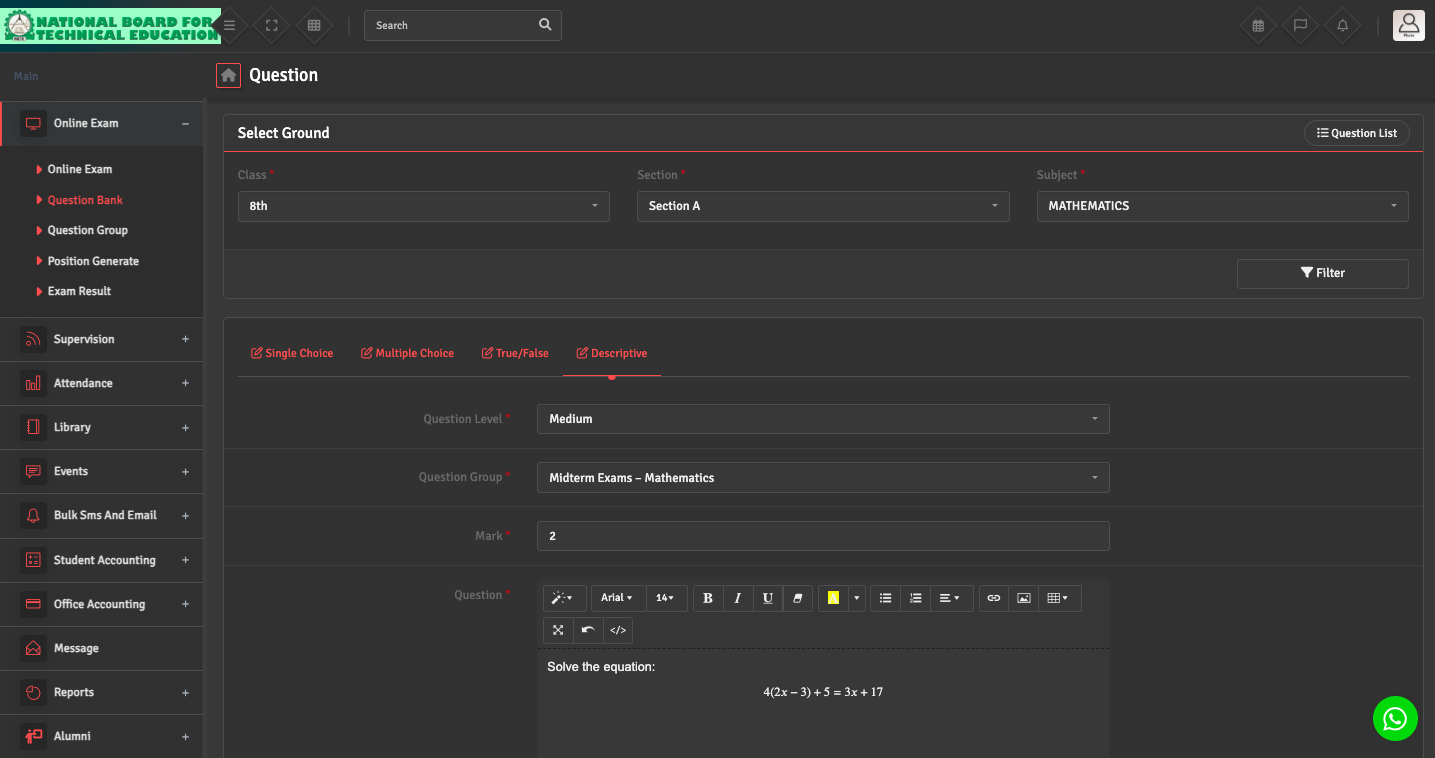
Online exams require questions to be added to the Question Bank. Please navigate to Online Exam → Question Bank → Add Questions/ Questions Import (at the top right) to add or import questions.

Ensure questions are active and mapped to the correct group and difficulty level.

Did you find this article useful?

  • Exam Term Creation

    To organize your academic year into testing periods, please navigate to Exam Master → Ex...
  • Exam Hall Setup

    To manage physical seating arrangements, go to Exam Master → Exam → Exam Hall. You...
  • Mark Distribution Setup

    To define how a subject is graded, navigate to Exam Master → Exam → Distribution. ...
  • Exam Creation

    To set up a new assessment, go to Exam→ Exam Setup → Create Exam. Link the exam to...
  • Exam Schedule Setup

    To define your date sheet, navigate to Exam Master →  Exam Schedule → Add Schedule...