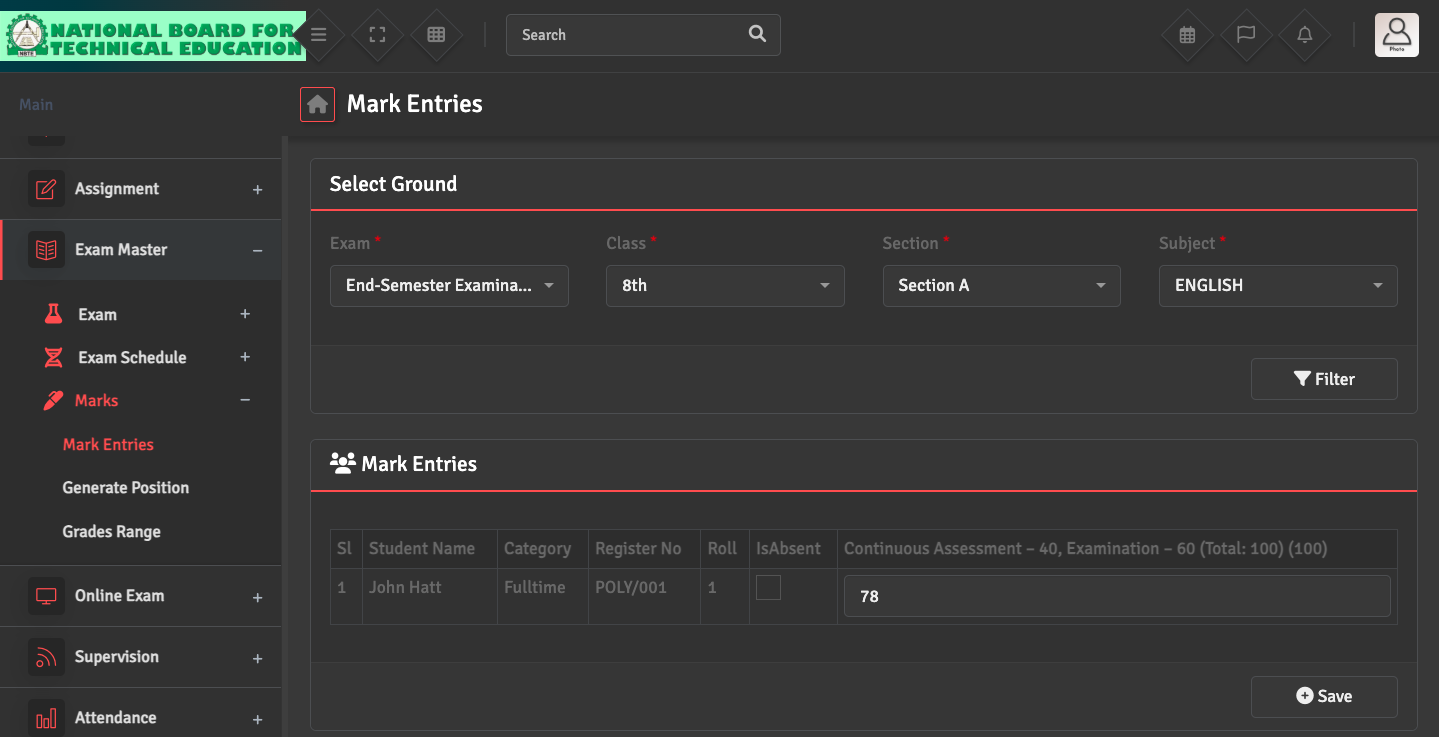
To correct a student's marks after saving, go to Exam Master → Marks → Marks Entries and fill in the details for the specific subject list. Update the score in the relevant field and click Save.
If the result has already been generated, you may need to 'Regenerate' the marksheet for that specific student to reflect the updated score.