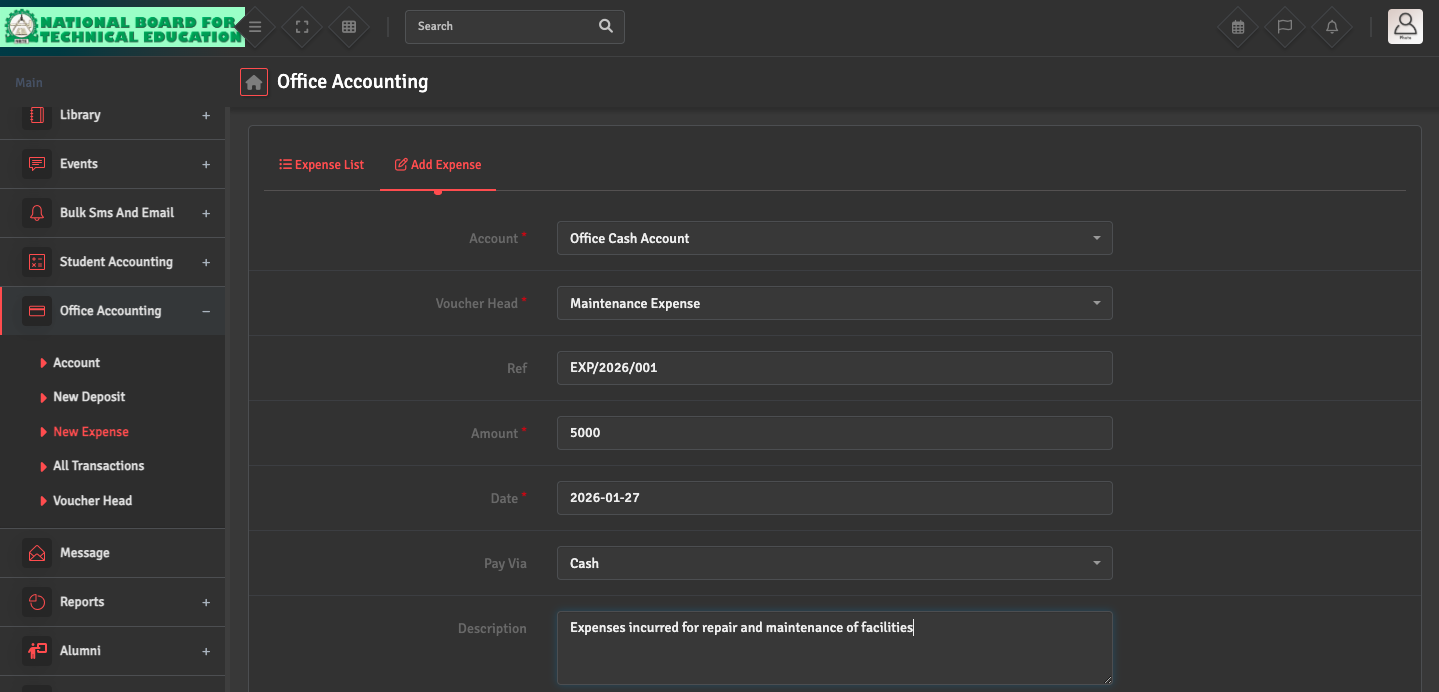
Expense Entry

To record school spending, navigate to Office Accounting → New Expense → Add Expense. Select the relevant Voucher Head and the account from which the money was withdrawn.

You can also upload a digital copy of the physical bill or receipt for audit purposes during this step.

Did you find this article useful?

  • Bank / Cash Account Setup

    To manage your school’s liquidity, navigate to Office Accounting → Account →...
  • Deposit Entry Issue

    If you are unable to record an income entry, go to Office Accounting → New Deposit ͛...
  • Voucher Head Setup

    To categorize your transactions, navigate to Office Accounting → Voucher Head → Ad...
  • Transaction Mismatch

    If your ledger balance does not match your physical cash or bank statement, navigate to Office...