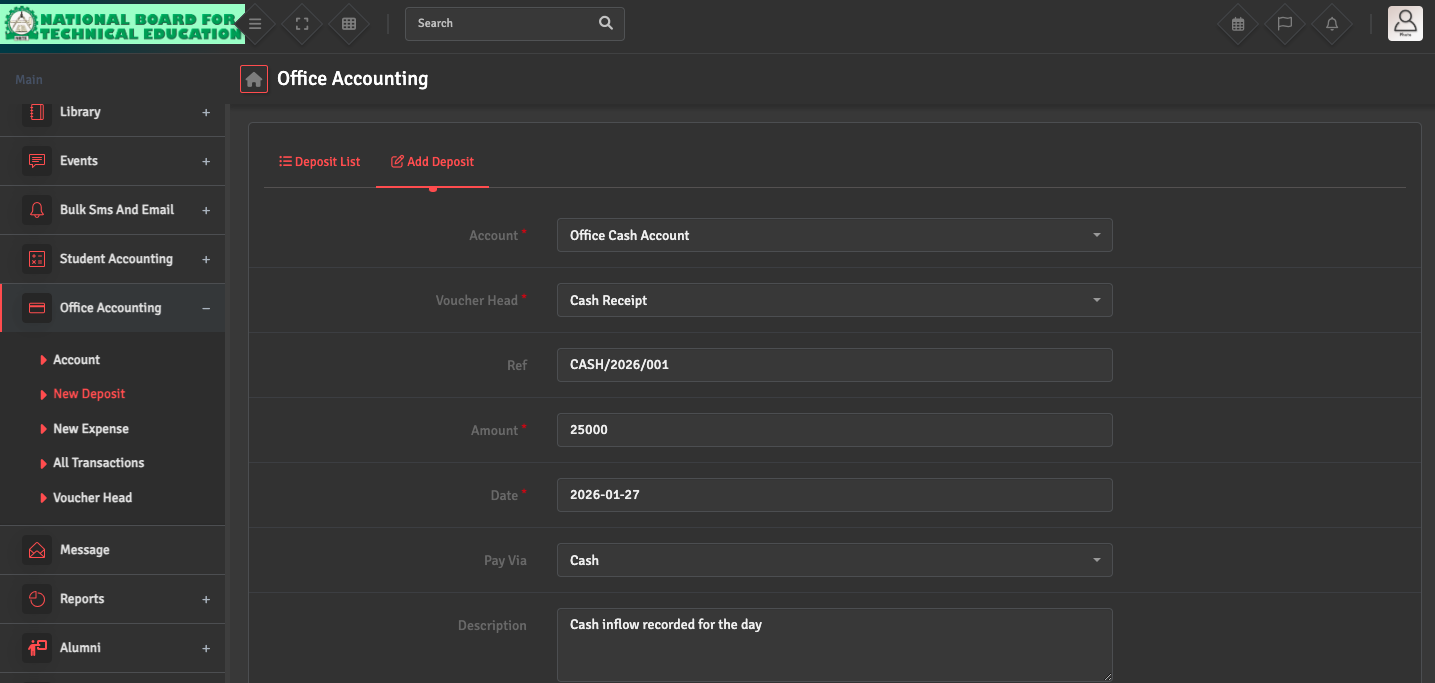
Deposit Entry Issue

If you are unable to record an income entry, go to Office Accounting → New Deposit → Add Deposit. Ensure that the correct Voucher Head is selected and linked to the appropriate Bank or Cash Account.

Also verify that the transaction date falls within the currently open financial year. Once these are confirmed, try saving the entry again.

Did you find this article useful?

  • Bank / Cash Account Setup

    To manage your school’s liquidity, navigate to Office Accounting → Account →...
  • Expense Entry

    To record school spending, navigate to Office Accounting → New Expense → Add Expen...
  • Voucher Head Setup

    To categorize your transactions, navigate to Office Accounting → Voucher Head → Ad...
  • Transaction Mismatch

    If your ledger balance does not match your physical cash or bank statement, navigate to Office...