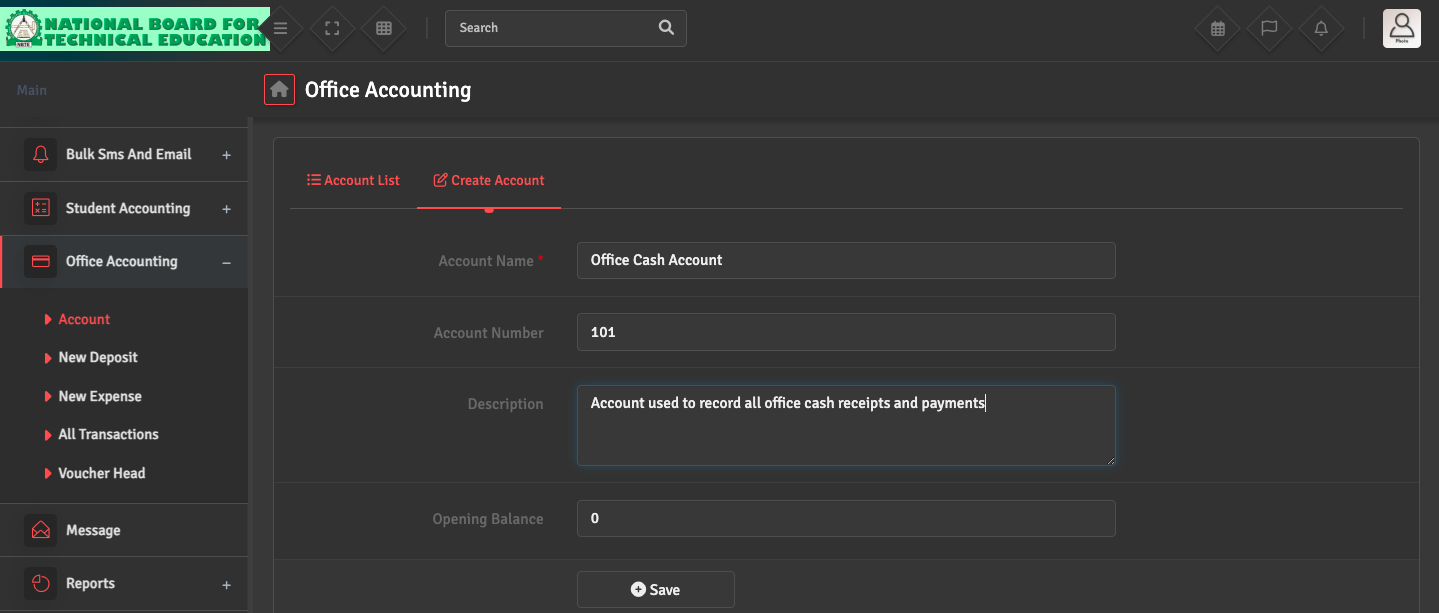
Bank / Cash Account Setup

To manage your school’s liquidity, navigate to Office Accounting → Account → Create Account. Ensure you enter the correct Opening Balance and account details.

This allows the system to track all incoming and outgoing funds across different accounts accurately.

Did you find this article useful?

  • Deposit Entry Issue

    If you are unable to record an income entry, go to Office Accounting → New Deposit ͛...
  • Expense Entry

    To record school spending, navigate to Office Accounting → New Expense → Add Expen...
  • Voucher Head Setup

    To categorize your transactions, navigate to Office Accounting → Voucher Head → Ad...
  • Transaction Mismatch

    If your ledger balance does not match your physical cash or bank statement, navigate to Office...