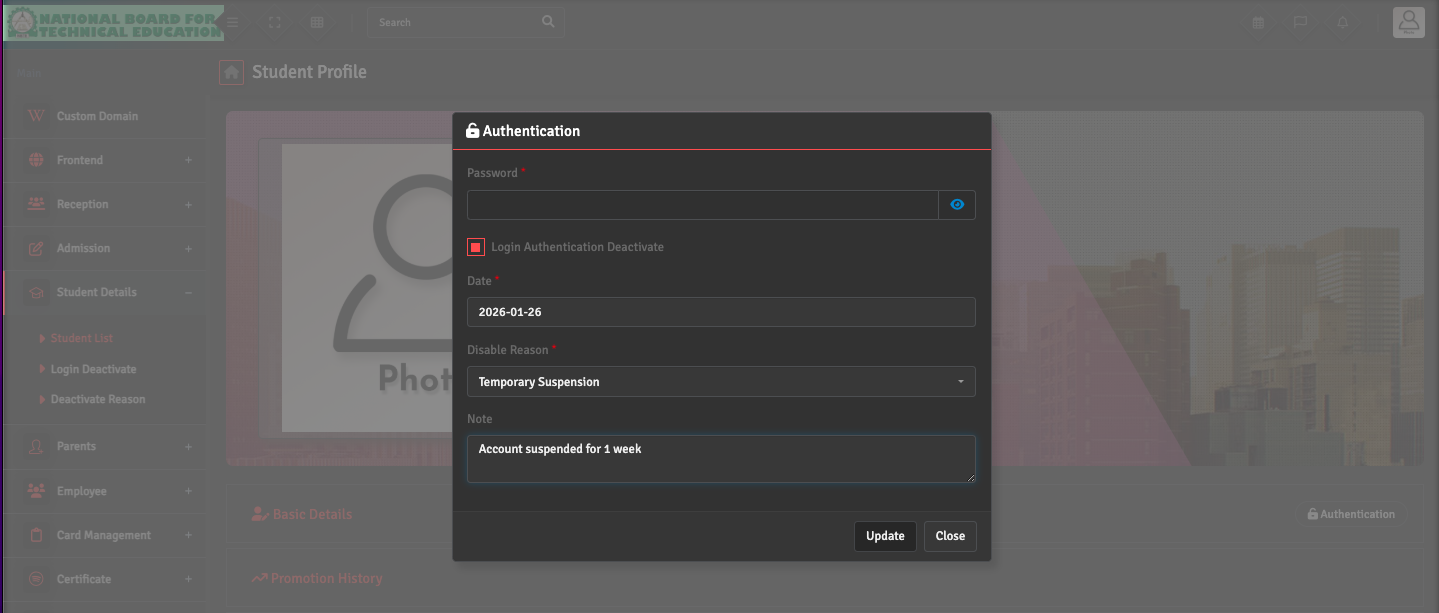
To change a student’s status, navigate to Student Details → Student List. You can deactivate the account by clicking the Authentication button on the far right of the Basic Details tab, which will move the student to the Student Deactivated list.
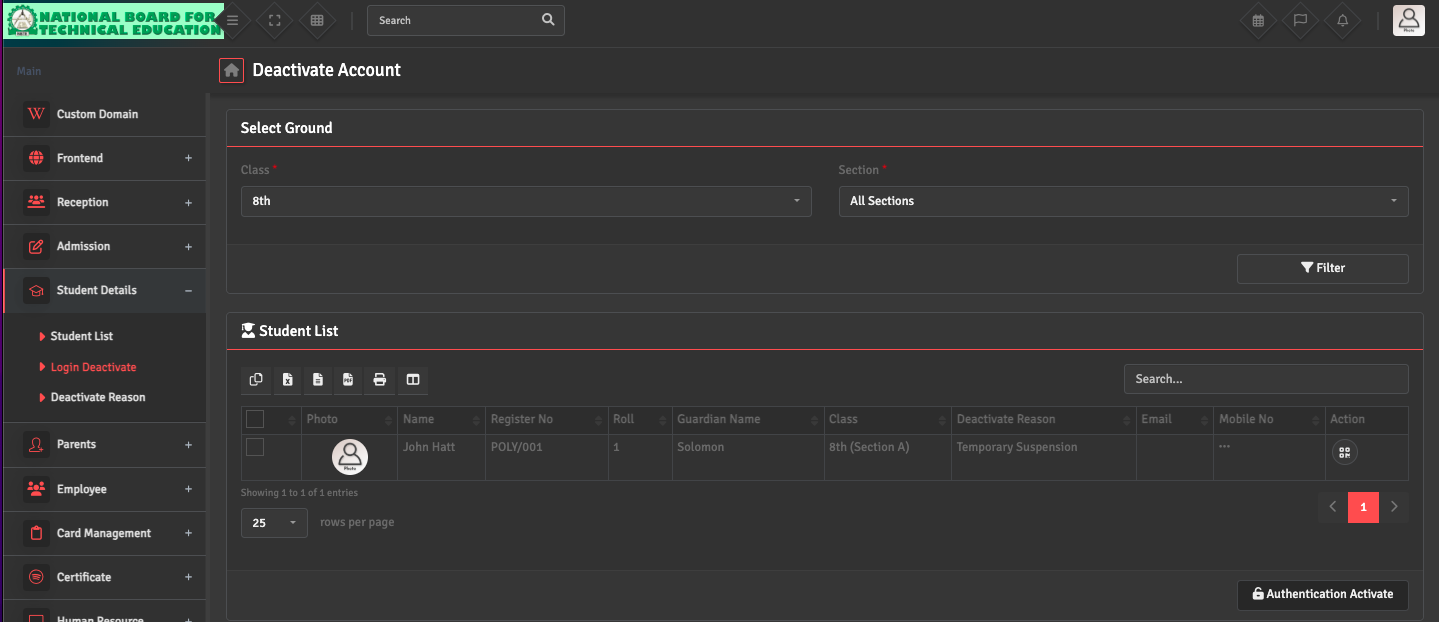
If you need to reactivate a student, go to the Student Details →Login Deactivate and select the concerned student. Click 'Authentication Activate' at the down right.
This allows you to control who can log into the portal and who appears in active attendance registers.