Online Admission Page Issue

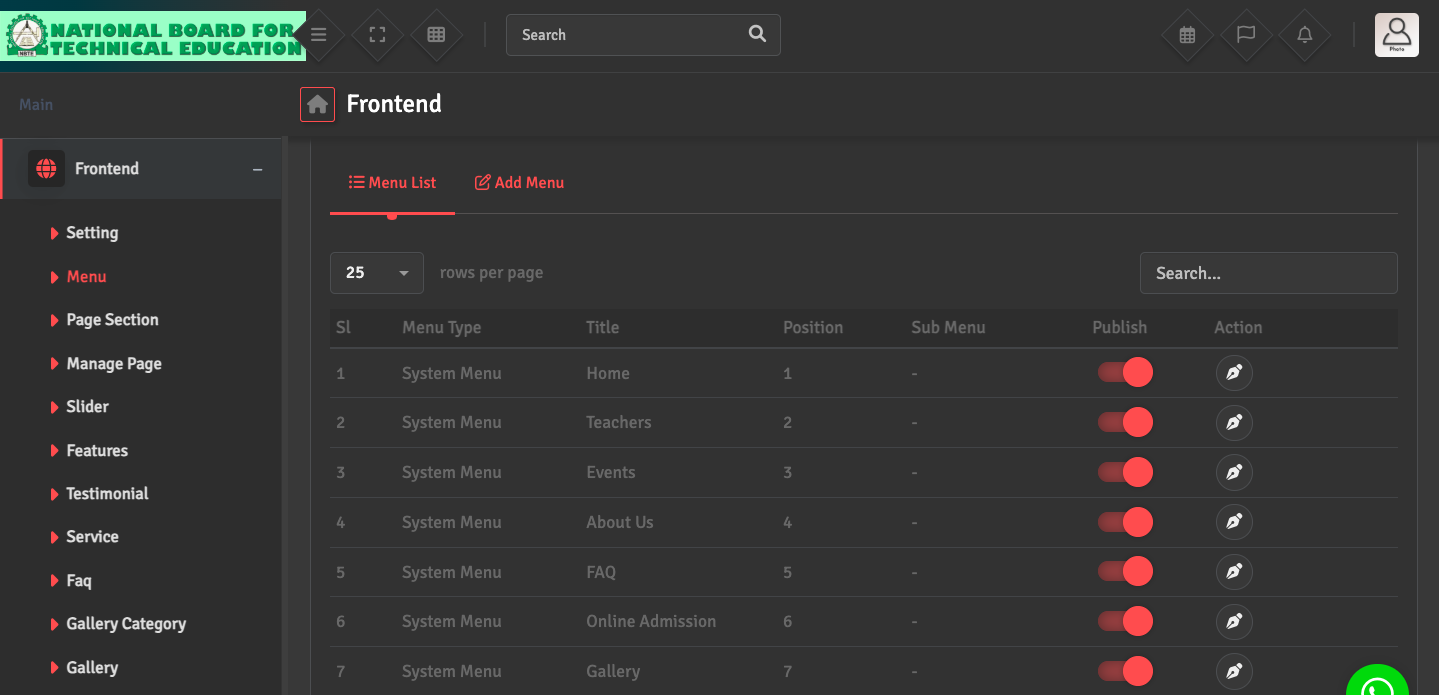
If the admission form is not appearing on your website, go to Frontend→ Menu. Verify that the Online Admission is set to Publish for the current academic session.

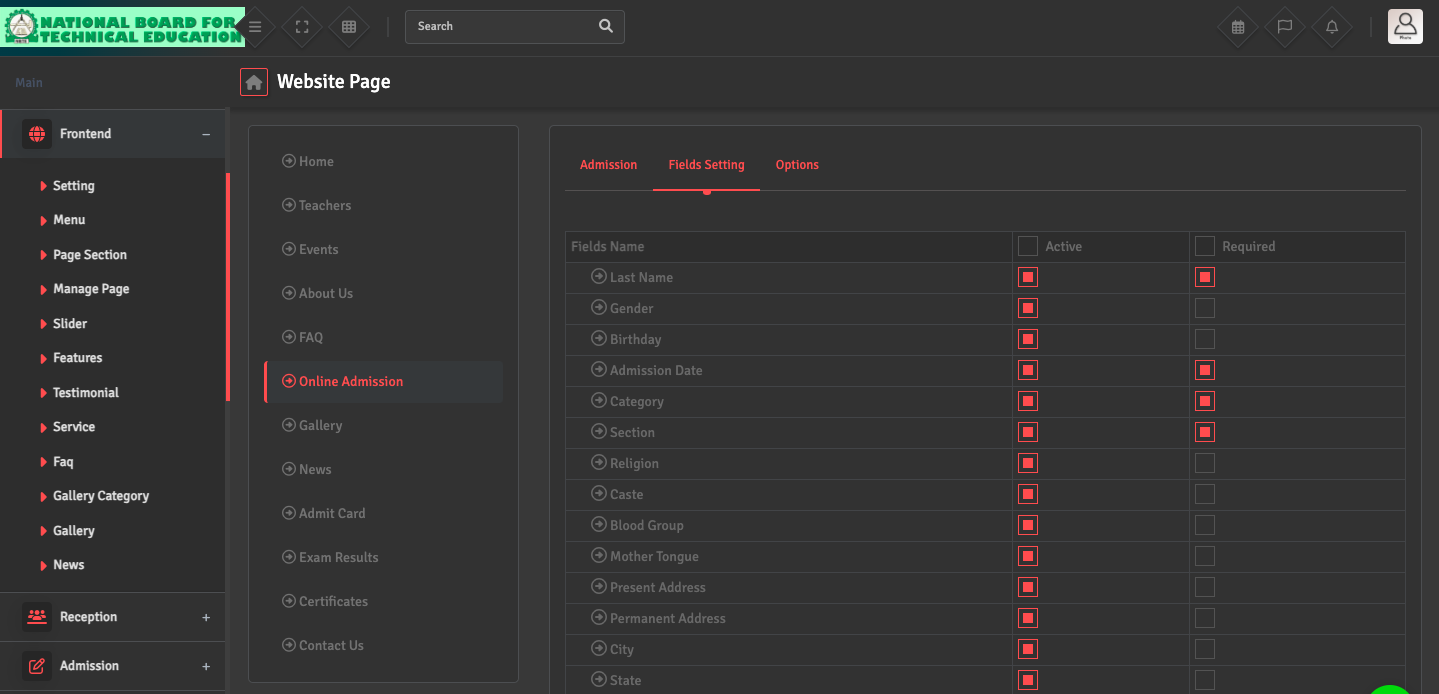
Also, ensure the form fields are correctly mapped and active under Frontend → Page Section → Online Admission → Field Settings so that the data syncs directly into your Student ERP module.

Did you find this article useful?

  • Website Content Update

    To update the text or images on your homepage, navigate to Frontend → Page Section ͛...
  • Menu / Page Issue

    If a page is in the wrong menu or a menu link is broken, go to Frontend → Menu → Menu ...
  • Gallery / News Upload

    To upload your website content, please follow these steps: For Photos: First, navigate to Fronten...