To resolve issues with email notifications, please follow these steps to identify the issue:
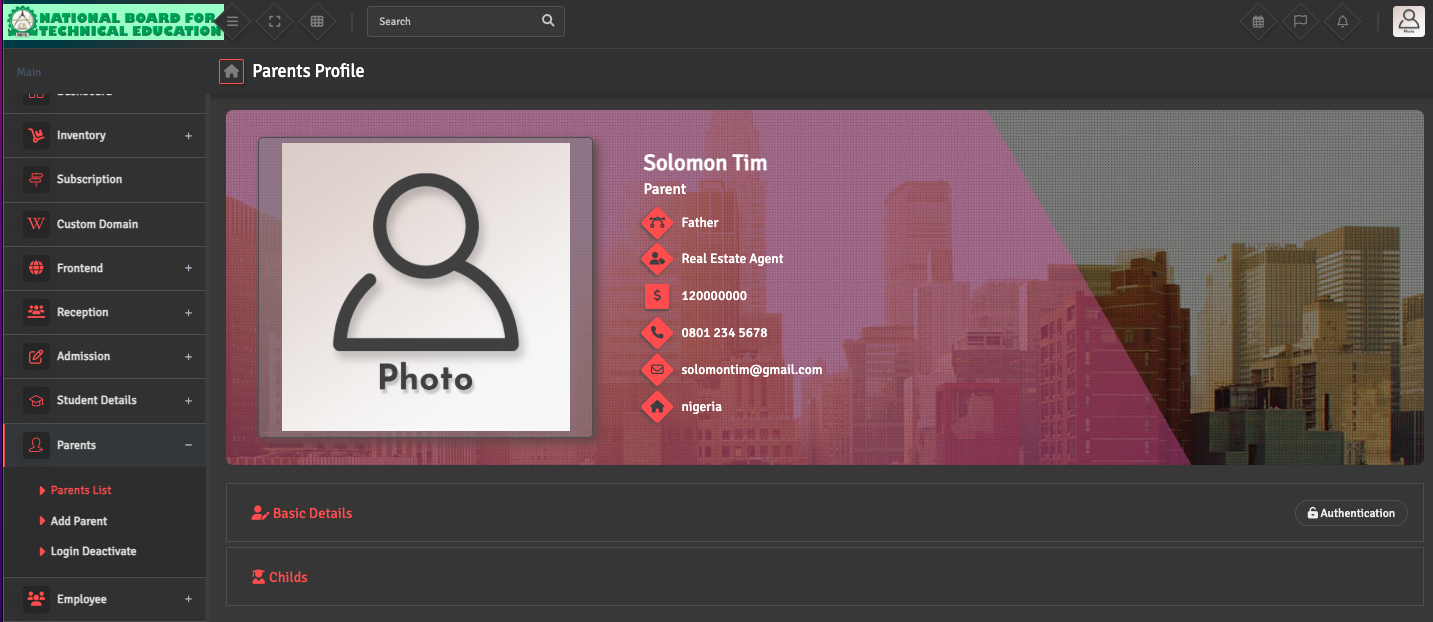
- Recipient Email Address: Confirm that the recipient (student, parent, or staff) has a valid email address linked to their profile, as incorrect or missing email IDs can prevent delivery.
erp
erp
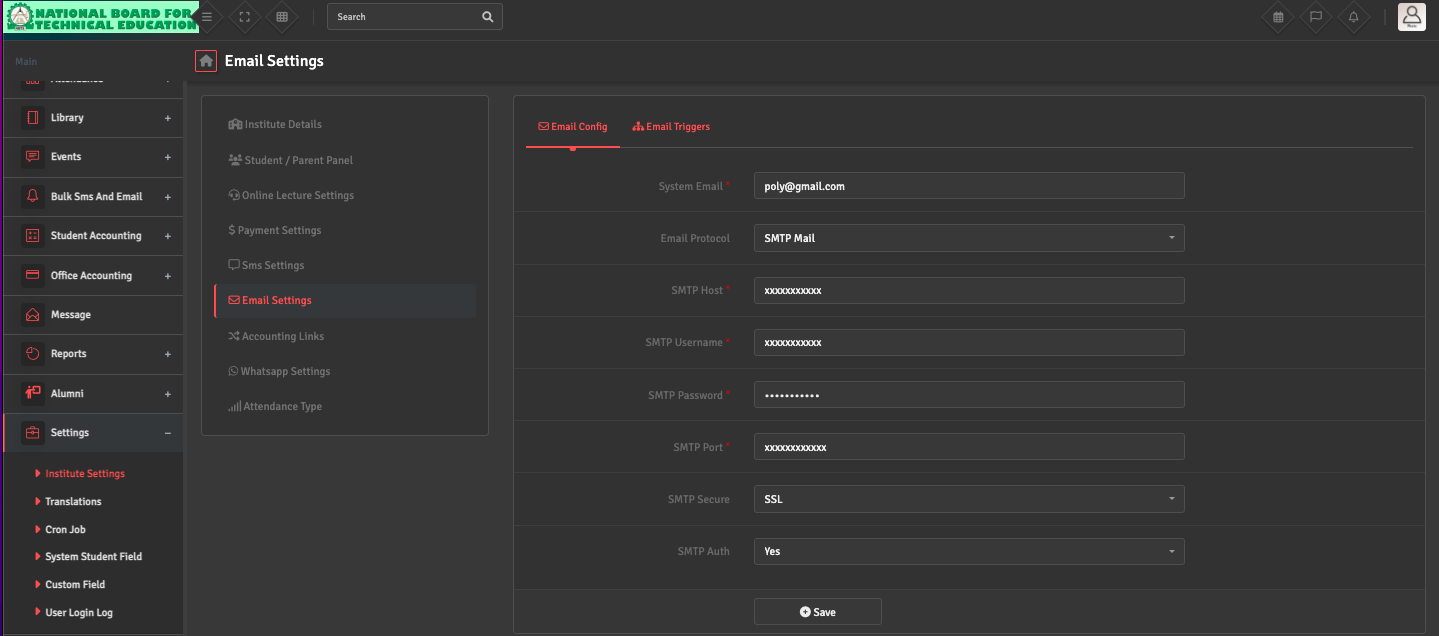
- Email Configuration: Navigate to Settings → Institute Settings → Email Settings. Under Email Configuration, ensure that the SMTP details (Host, Username, Password, Port, Secure) are correctly configured and use the Send Test Email option to verify connectivity.
erp
erp
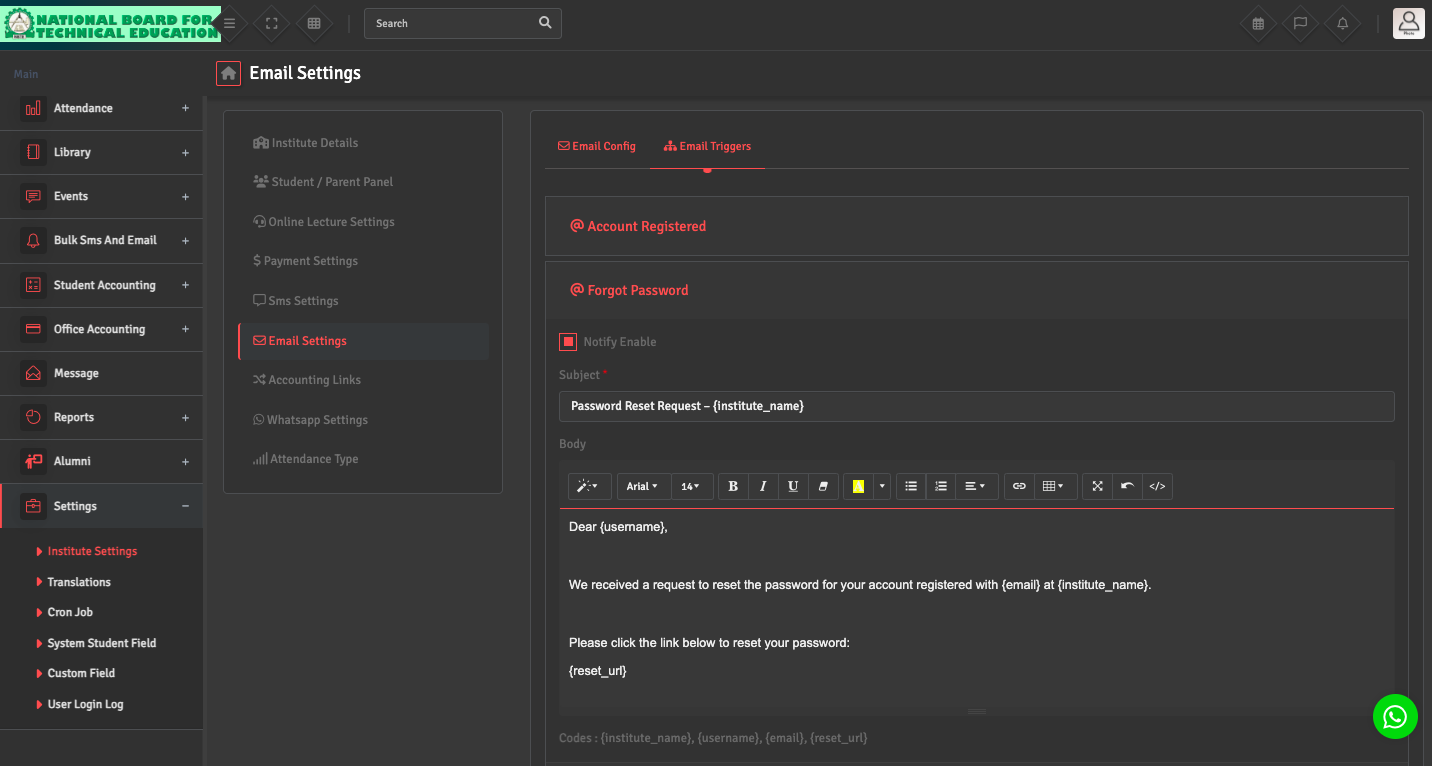
- Email Triggers: Verify that the relevant email trigger is enabled and saved under Email Settings → Email Triggers.
erp
- Email Logs / Reports: If the settings above are correct, please check the Bulk SMS/ Email → Email Report to check campaign report and status.