Student Login Not Working

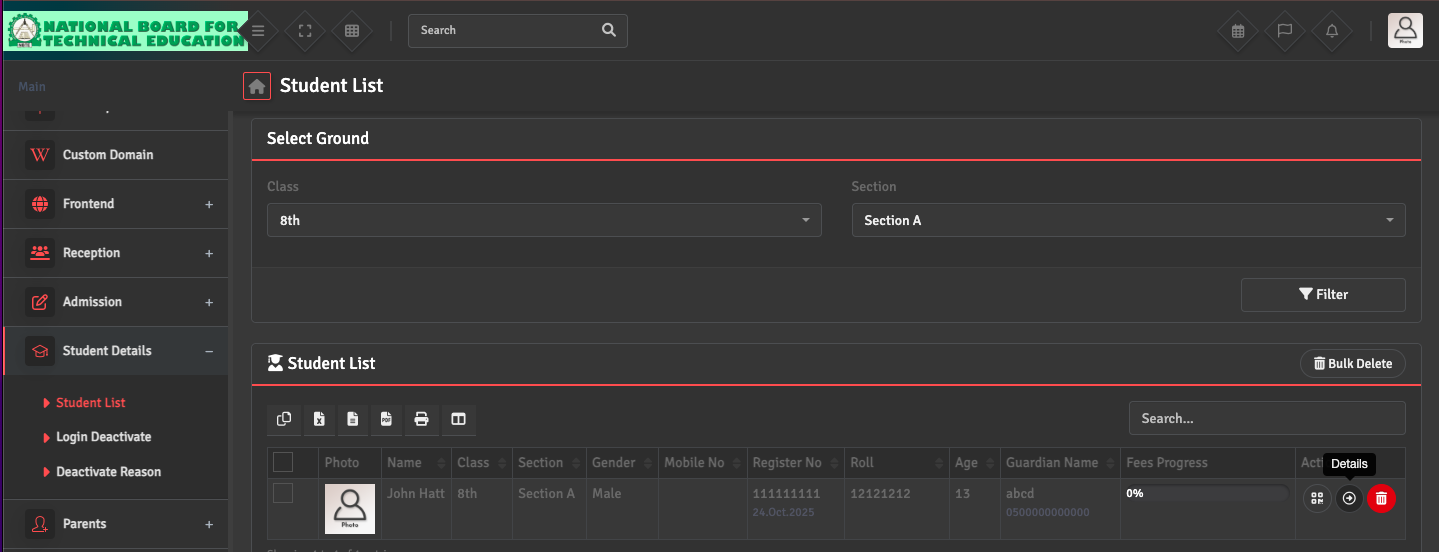
You can check or reset individual student login details by navigating to Student Details → Student List. Select the specific student profile and click the Details option under the Action section.

Once the complete student profile opens, you can verify or update their credentials.

Did you find this article useful?

  • ERP Login Not Working

    Please ensure you are using the correct ERP URL provided during your onboarding. Double-check ...
  • Password Reset

    To reset your password, please click on the Profile Icon on the top right and select 'Reset Passwor...
  • Admin Credentials Not Received

    Initial admin credentials (URL, username, and password) are sent directly to the NBTE ERP Applicati...
  • Staff Login Not Created

    Staff logins are managed under the Employee → Add Employee section. To create a login, ensure...
  • Account Locked / Suspended

    For security reasons, accounts may be automatically locked after multiple failed login attempts....