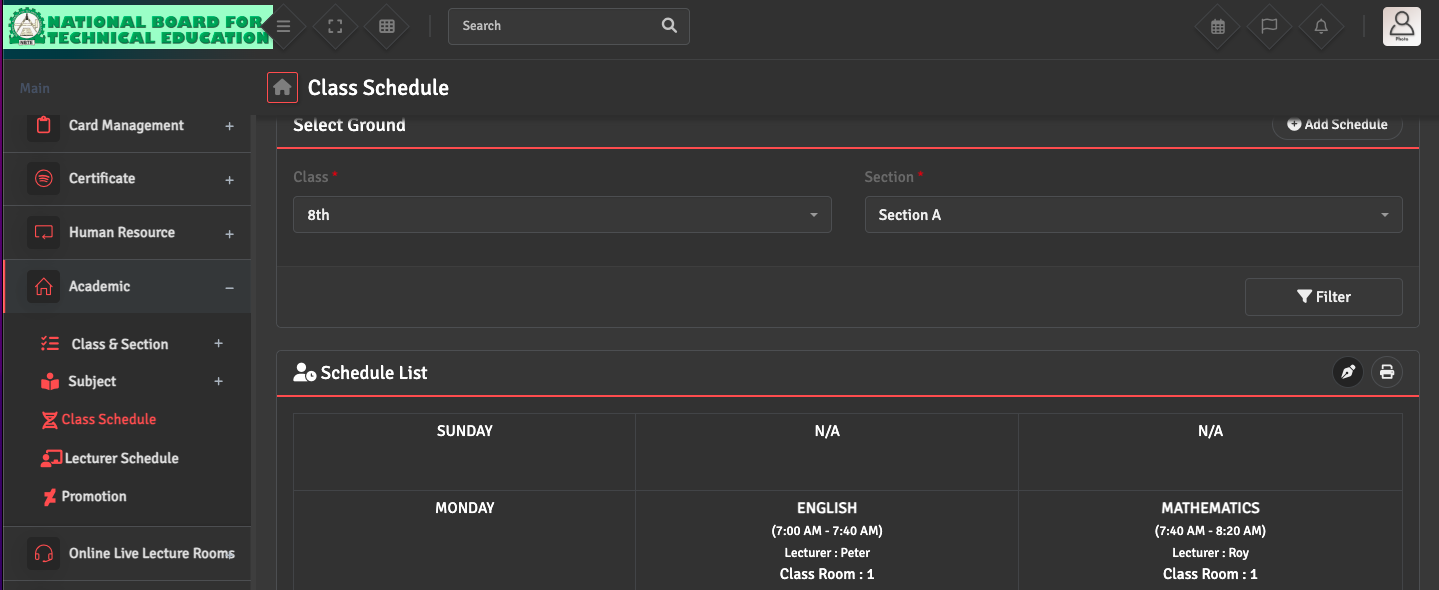
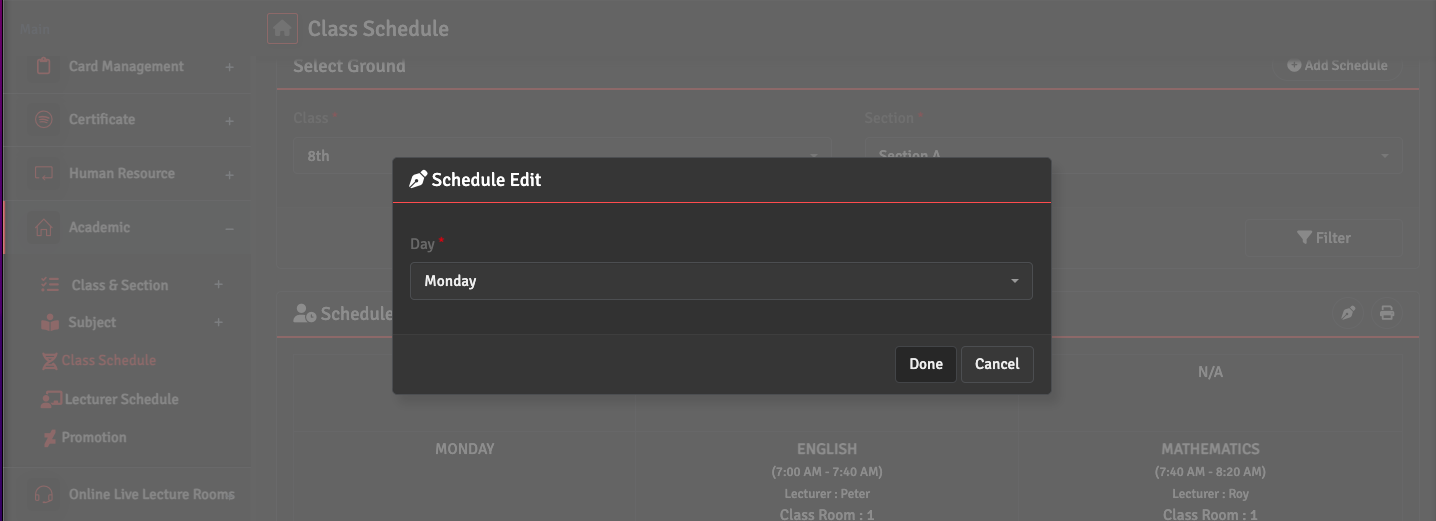
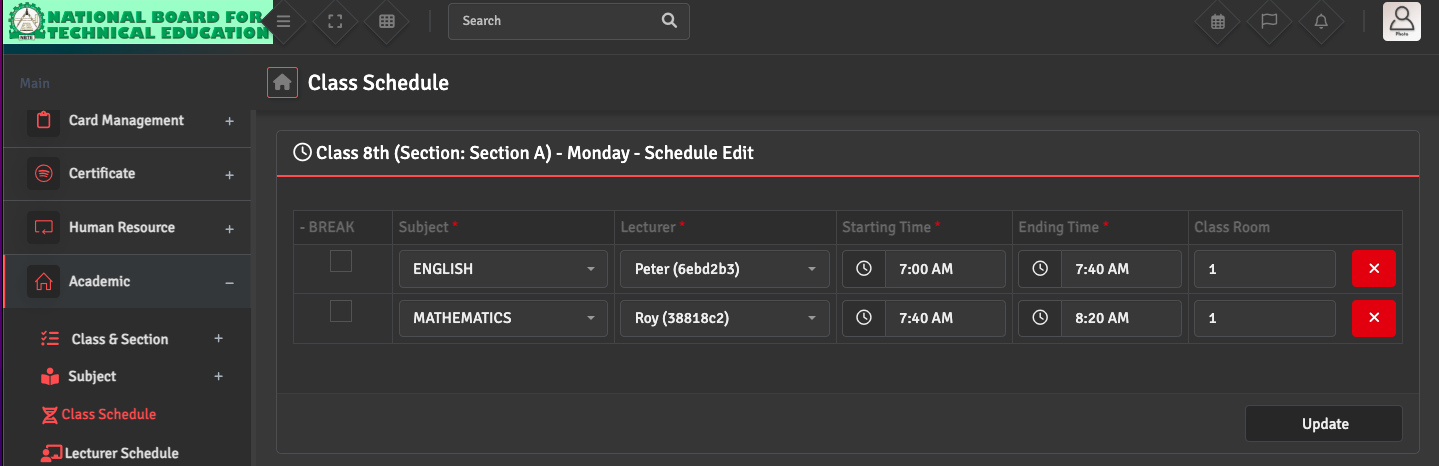
To update an existing schedule, go to Academics → Class Schedule. Select the relevant Class and Section, then click the Pen Icon at the top right of the schedule list. Choose the Specific Day and modify the time slots or swap subjects as needed.
Once changes are saved, the updated timetable will be instantly reflected on both the staff and student portals.