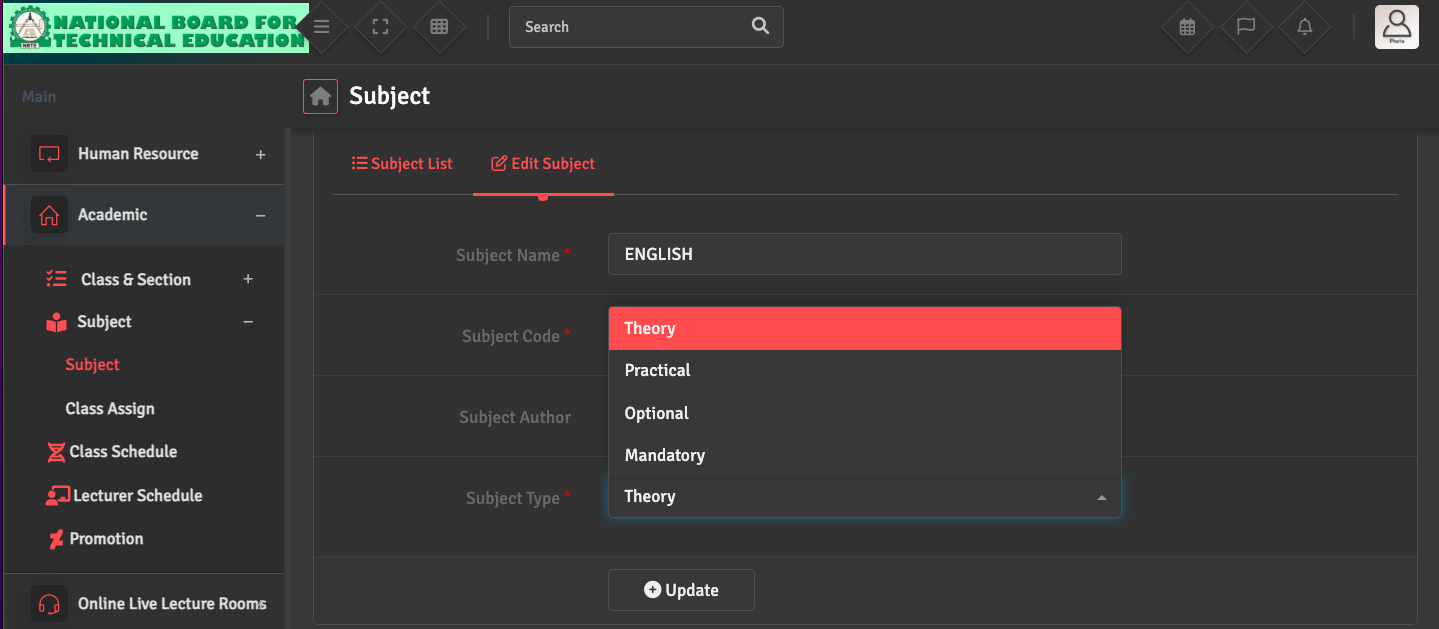
Subject Type Correction (Theory / Practical / Elective)

If you need to update a subject type, go to Academics → Subject → Subject List and click 'Edit' under the Action section of the specific subject. You can then choose the correct 'Subject Type' from the dropdown menu to ensure accurate grading and scheduling.

Did you find this article useful?

  • Department Creation (Academic)

    To organize your staff and curriculum by department, please navigate to Employee →Add De...
  • Section Creation

    To define your classroom divisions, please navigate to Academics → Class and Section ...
  • Class Creation

    To set up your grade levels, go to Academics → Class and Section → Control Classes...
  • Subject Creation

    To build your course list, please go to Academics → Subject → Create Subject. Here...
  • Subject Assignment to Class

    To link subjects to a specific grade, please navigate to Academics → Subject → Cla...