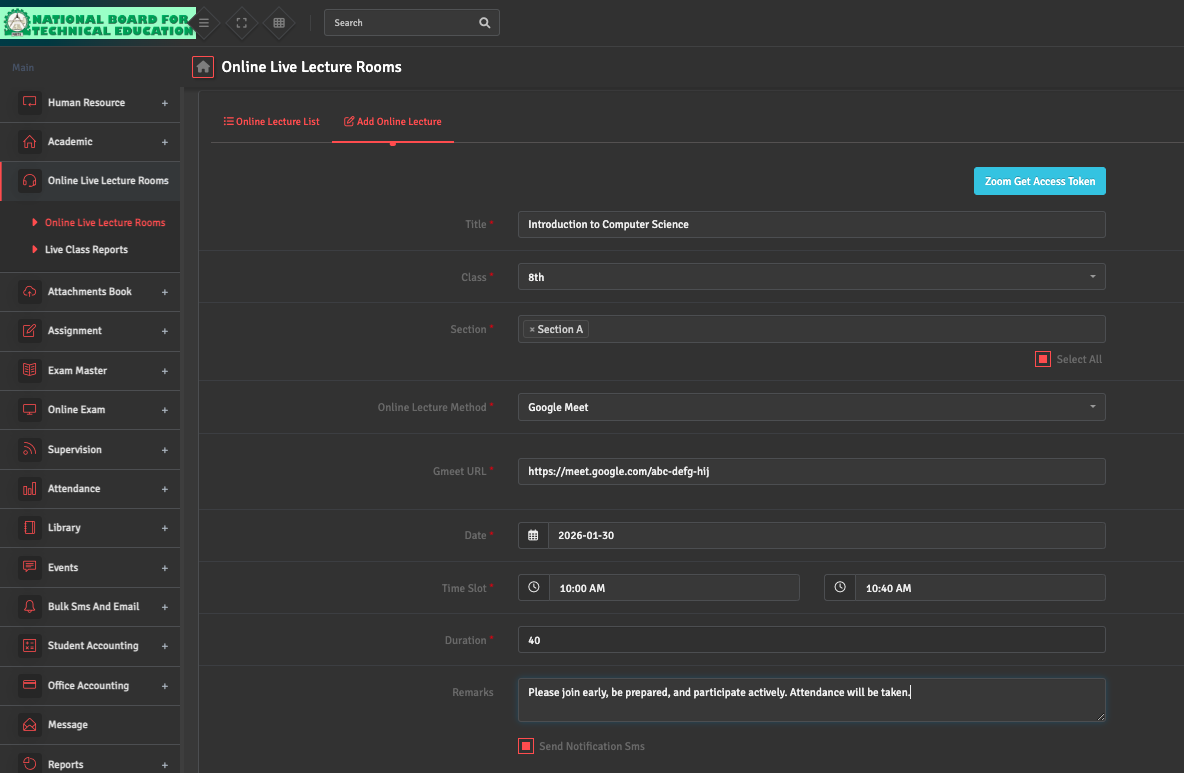
To host a virtual session, navigate to Online Live Lecture Rooms → Add Online Lecture. Select the Class, Section, Duration, and Date.
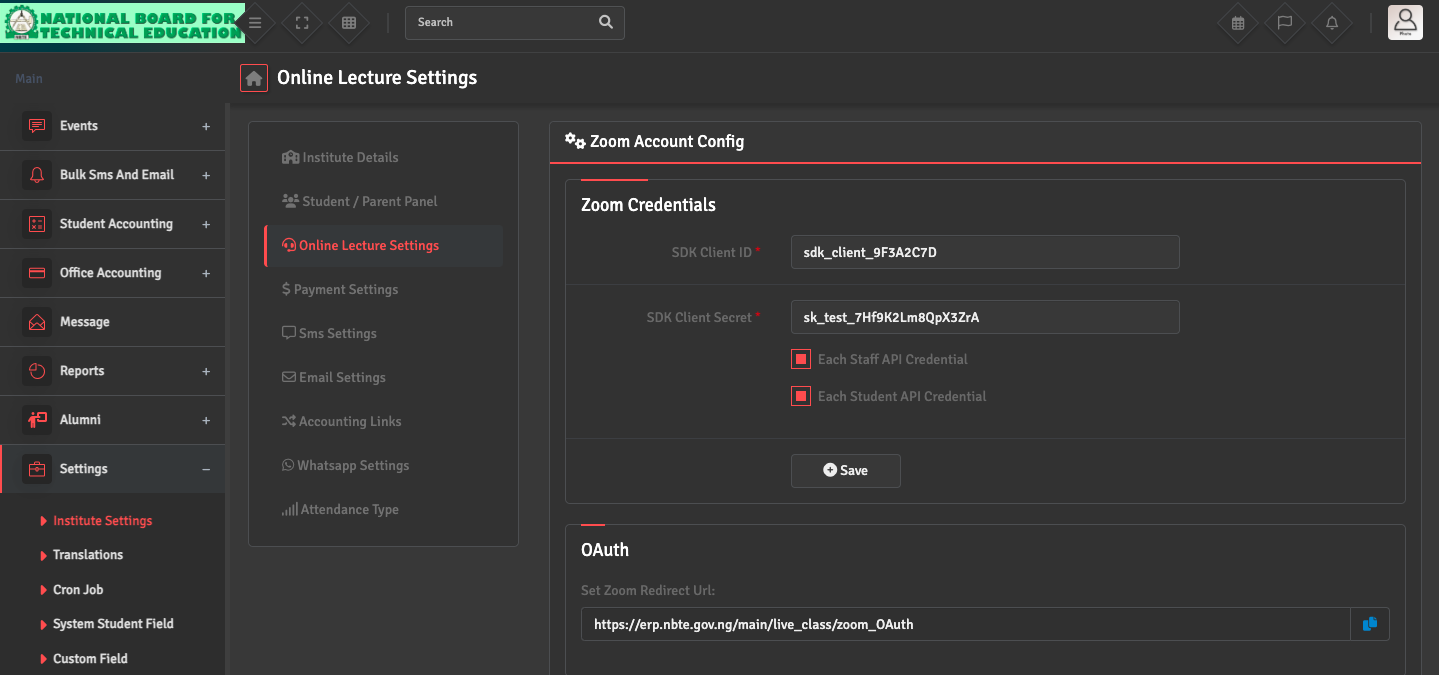
Ensure you have correctly linked your meeting provider account (Zoom/Google Meet) in the Settings → Institute Settings → Live Class Settings section first.
Once the class is added, it will automatically appear on the students' dashboards.