To ensure parents receive automated notifications, please follow these steps:
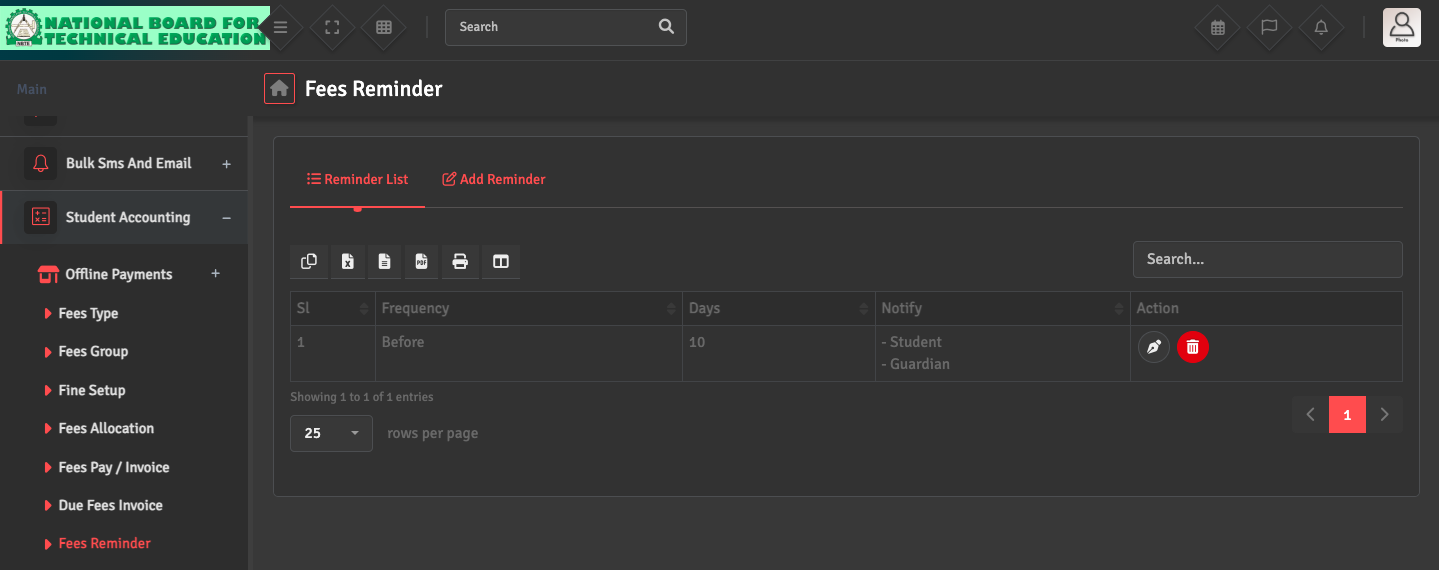
- Navigate to Student Accounting → Fees Reminder. In the Fees Reminder List, ensure the Guardian option is selected under the Notify section for the relevant records.
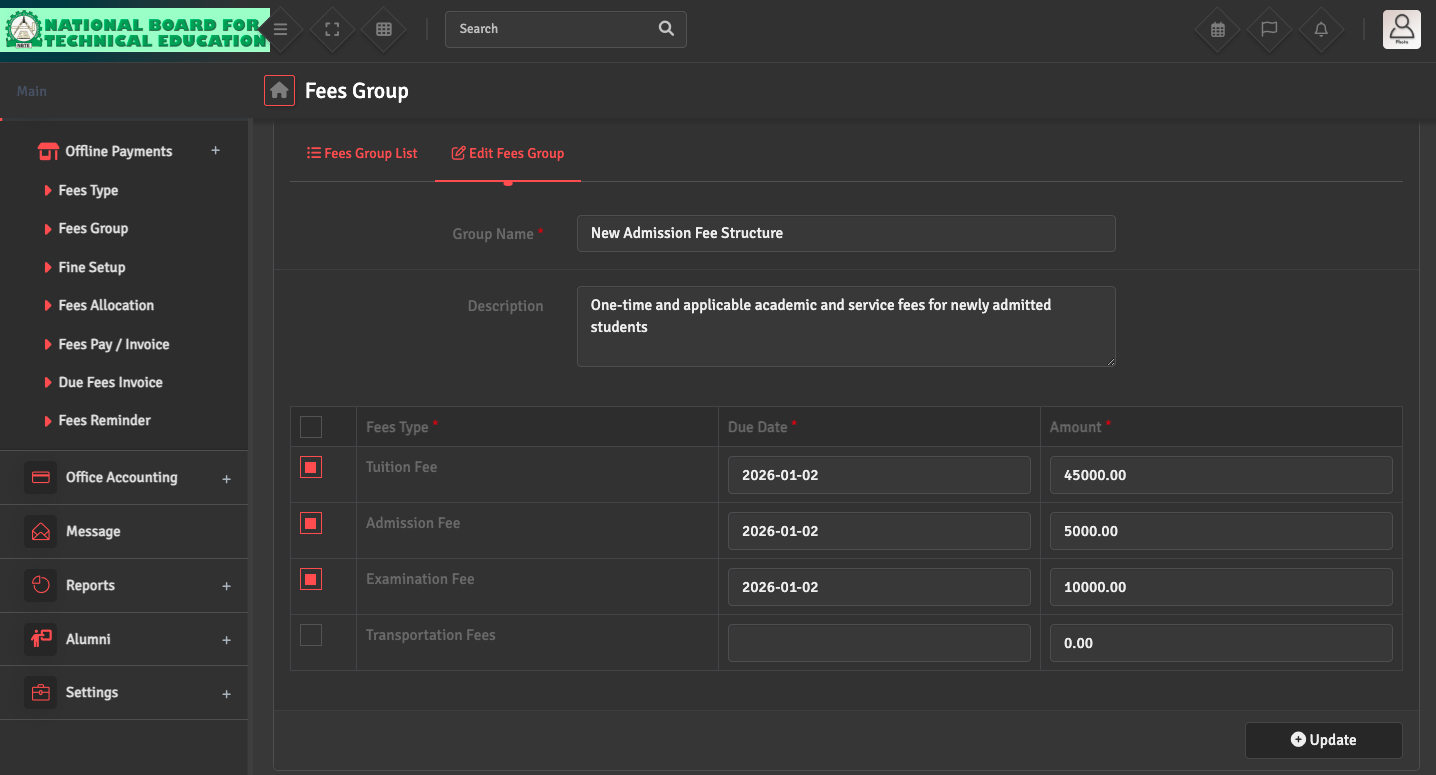
- Reminders are triggered based on the Due Date set in the Fees Group module. Verify they are correct.
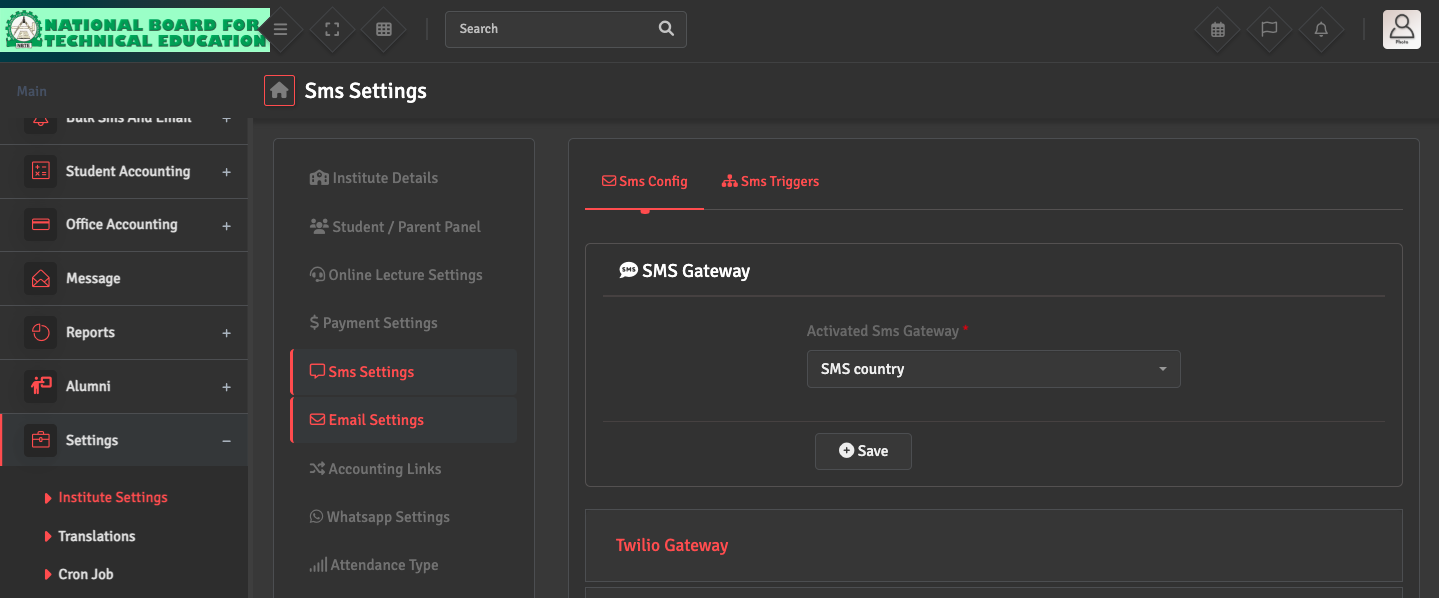
- Navigate to Settings → Institute Settings. From the menu on the left, verify that your Email, SMS, and WhatsApp gateways are properly configured and active. Ensure the guardian and student has a valid mobile number or email address linked to their profile.