Fee Allocation to Class

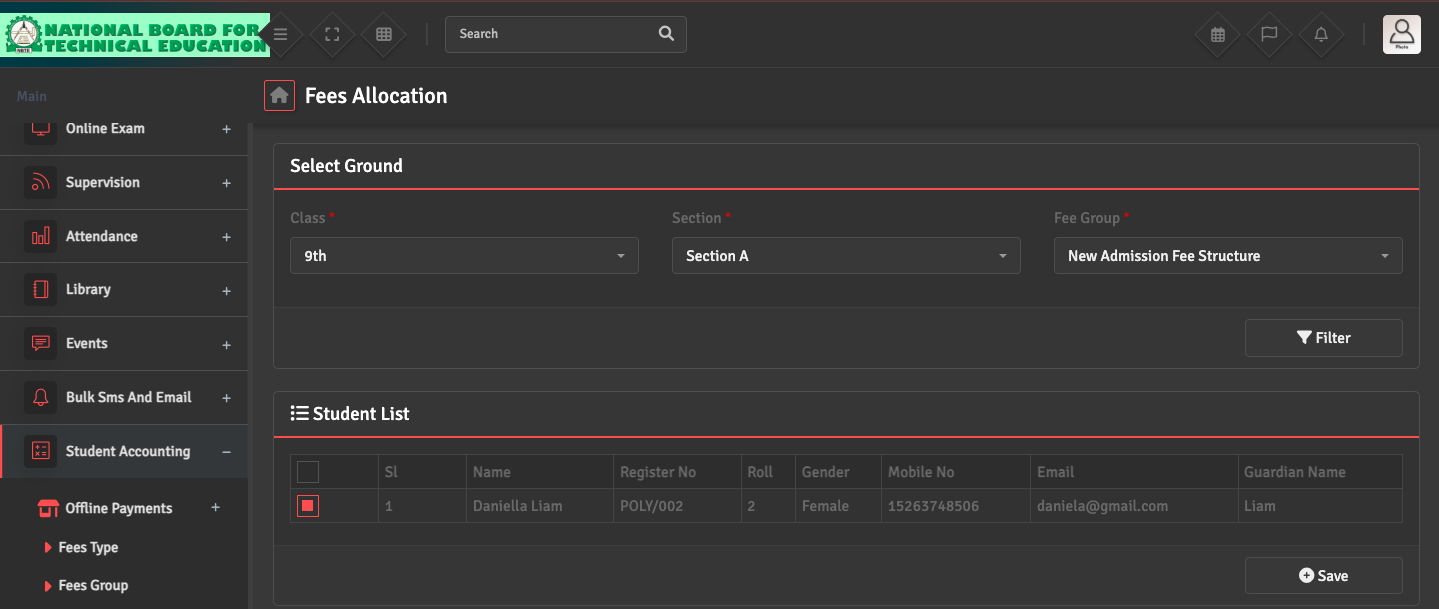
To assign fees to students, navigate to Student Accounting → Fees Allocation. Select the Class, Section and Fee Group you created, then click 'Filter' to see all students eligible for the allocation.

Select the concerned students from the student list and click Save.

Did you find this article useful?

  • Fee Type Creation

    To define individual fee components, navigate to Student Accounting → Fees Type →...
  • Fee Group Creation

    To bundle multiple fees together, go to Student Accounting → Fees Group → Add Fee...
  • Fee Allocation Correction

    If an incorrect fee was assigned to a student or class, navigate to Student Accounting ͛...