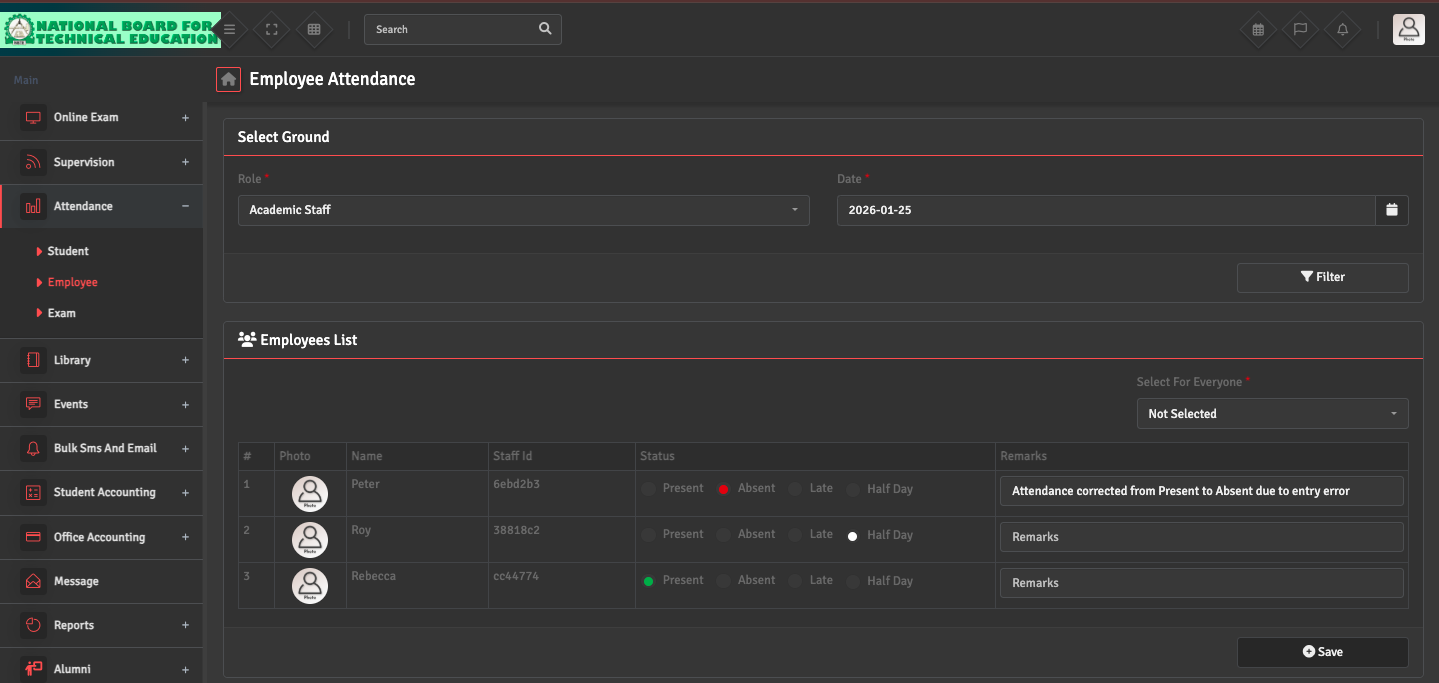
To modify a staff attendance record, go to Attendance → Employee, select the specific date and role, and click 'Filter.' You can manually adjust the status (Present, Late, Absent, or Half Day) for the employee and add a Remark, if needed.
Once the changes are saved, the updated status will be used for leave calculations and payroll processing.